Winter Google Ads Strategy for Home Services: HVAC, Plumbing & Appliance Repair
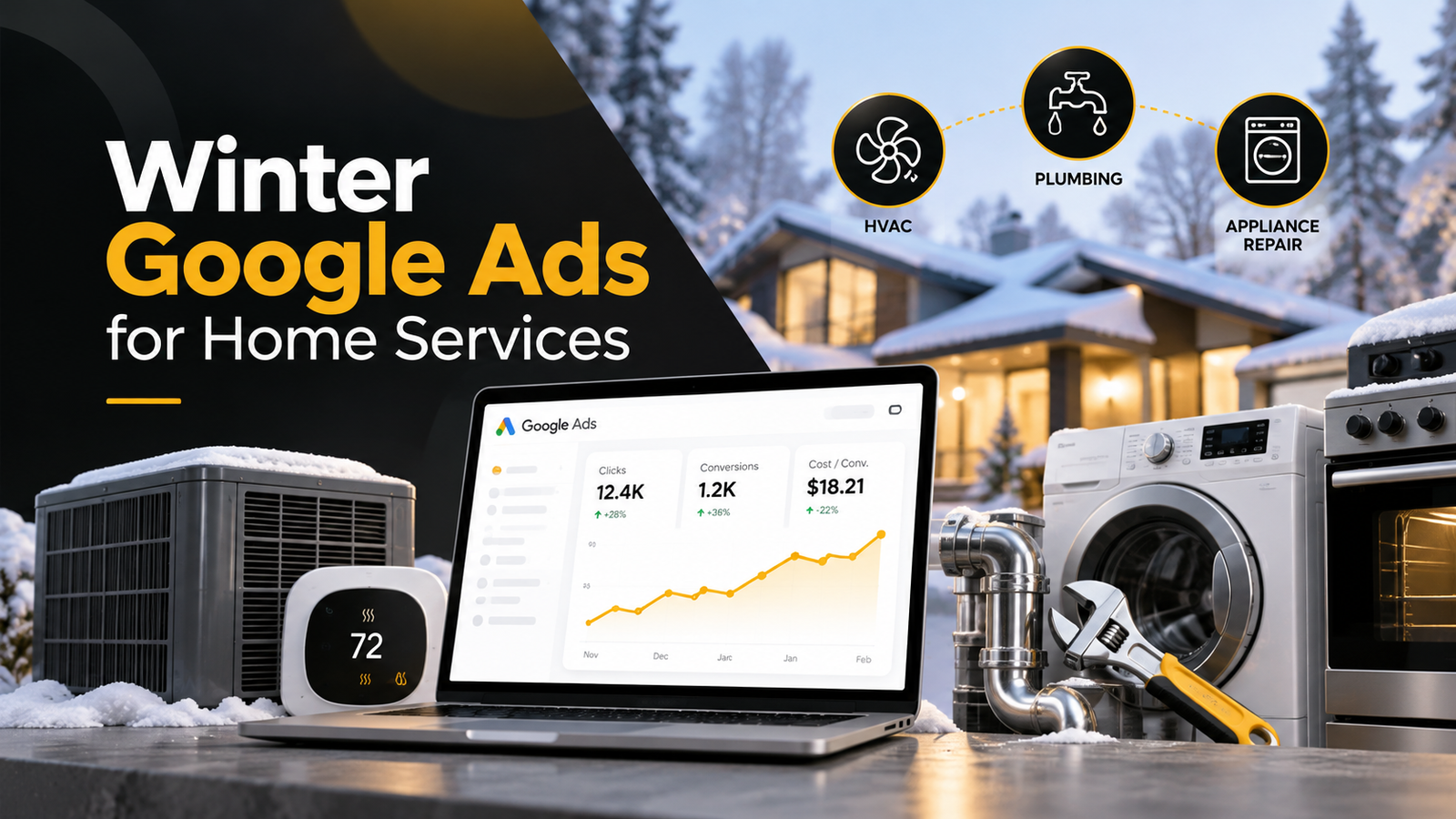
Winter can be one of the busiest times for a home service business. It can also be one of the most expensive times to advertise.
A furnace stops heating on a freezing night. A homeowner discovers a burst pipe. A family needs its oven repaired before a holiday gathering.
These customers aren’t casually browsing. They have a problem they want solved, often quickly.
But higher demand doesn’t automatically mean more profit for your business. If your Google Ads campaigns are still promoting summer services, targeting the wrong areas, or generating calls your team cannot answer, you could be paying for opportunities that never become jobs.
The best winter Google Ads strategy for home services is to match your advertising with seasonal demand, technician availability, and the types of jobs that actually make your business money.
For HVAC companies, that often means prioritizing heating repairs. For plumbers, it means preparing for freeze-related emergencies while keeping profitable everyday services running. For appliance repair businesses, it means maintaining consistent service demand and testing seasonal opportunities where local data supports them.
Here’s how to make those adjustments without simply throwing more money at Google.
1. Understand What Actually Changes During Winter
The first mistake is assuming that every home service business experiences the same winter demand.
A heating contractor in Chicago faces different customer needs from an HVAC company in Miami. A plumber in Dallas may experience a sudden rush during an unusual freeze, while a plumber in Minnesota may see more predictable cold-weather service demand.
Your advertising should reflect your local market, not just the calendar.
| Business type | Winter service priorities to investigate | Advertising opportunity |
|---|---|---|
| HVAC | Furnace repair, heating failures, heat pump repair, boiler service | Capture urgent heating enquiries and maintenance bookings |
| Plumbing | Frozen pipes, burst pipes, water heater issues, emergency leaks | Prepare campaigns for weather-related emergencies |
| Appliance repair | Oven, refrigerator, washer and dryer repair | Maintain profitable core services and test relevant seasonal demand |
These are opportunities to investigate, not guaranteed seasonal trends in every market.
Before making changes, compare your previous winter’s Google Ads results, booking records, and Google Search demand.
Look at which services brought in enquiries, which enquiries turned into appointments, and which jobs were worth the advertising expense.
You can also use Google Trends to compare local search interest over time. Check individual services and cities rather than relying on national search patterns.
Practical tip: Review the past two or three winters if you have the data. One unusual storm can distort a single year’s results.
2. HVAC Google Ads: Move the Focus From Cooling to Heating
For an HVAC business operating in a cold-weather market, winter usually changes what customers need most urgently.
Someone searching for “furnace not heating” may need a technician today. Someone searching for a “furnace replacement estimate” may be planning a larger purchase.
Both can be valuable customers, but they require different advertising messages and follow-up processes.
Prioritize the heating services you actually provide
Review keywords for services such as:
- Furnace repair near me
- Emergency furnace repair
- Heating repair near me
- Heat pump repair
- Boiler repair near me
- Furnace replacement
- Heating system maintenance
Only advertise equipment and services your technicians are qualified and equipped to handle.
If your company doesn’t service boilers, for example, attracting boiler repair calls creates additional work for your office without producing revenue.
For companies with sufficient budget and search volume, separating emergency heating repair from maintenance and installation can improve control over spending, messaging, and performance evaluation.
Write ads around the customer’s immediate problem
Consider the difference between these messages:
Generic: “Professional HVAC Services — Contact Us Today”
Winter-focused: “No Heat? Local Furnace Repair — Call to Schedule Service”
The second ad speaks to a specific customer problem.
Other useful messages might include “Heating Repair in [City],” “Licensed HVAC Technicians,” or “Furnace Repair Appointments Available.”
Only promote same-day service, emergency availability, licensing, or special offers when those statements are accurate.
Don’t eliminate maintenance advertising automatically
Heating repair can create urgent demand, but not every HVAC business should abandon maintenance or replacement campaigns.
Maintenance work may help fill gaps between emergency appointments. Replacement jobs may generate greater revenue, although the sales process can take longer.
Evaluate these services separately.
A campaign generating inexpensive maintenance enquiries isn’t necessarily better than one generating fewer, higher-value replacement appointments.
What matters is the contribution each campaign makes to your business after advertising and service delivery costs.
3. Plumbing Google Ads: Prepare for Cold-Weather Emergencies
Plumbing demand can change quickly when temperatures fall below freezing.
The National Weather Service explains that water pipes in exposed or poorly protected areas can freeze and burst, creating potentially urgent repair needs.
For plumbers, that means some winter enquiries are especially time-sensitive.
But there’s a significant difference between being ready for emergency searches and spending heavily on emergency keywords every day of winter.
Build your emergency keyword coverage before a freeze
Depending on the services you provide, relevant search terms may include:
- Frozen pipe repair
- Burst pipe repair near me
- Emergency plumber
- Water pipe leak repair
- Frozen water line plumber
- Emergency plumbing service near me
Group related terms so the ad and landing page answer the same problem.
A homeowner searching for a burst pipe shouldn’t have to navigate through a general page about bathroom remodeling to find your emergency phone number.
Instead, make the relevant service, location, and contact information immediately visible.
Match emergency advertising to actual availability
Suppose your plumbing company operates from 7 AM to 7 PM.
Advertising “24/7 Emergency Plumbing” when nobody can answer at midnight creates an obvious customer-service problem.
It can also waste advertising spend.
For emergency campaigns, verify:
- Who answers the phone after hours?
- Can a technician genuinely be dispatched?
- Which areas can your team reach?
- How quickly can you confirm an appointment?
- Which emergency jobs can your business profitably handle?
Google allows advertisers to schedule call assets for the days and times when calls can be answered.
If your business cannot respond after hours, adjust call-focused advertising accordingly and make your actual availability clear.
Keep profitable year-round plumbing services visible
Frozen pipes aren’t the only reason customers call plumbers in winter.
Water heater repairs, drain cleaning, leak detection, and fixture repairs can remain important throughout the year.
Don’t automatically redirect the entire plumbing budget toward emergency campaigns.
Keep enough coverage for services that consistently generate profitable booked jobs.
And when forecasts indicate unusually cold weather, review your emergency budget and technician availability before increasing spend.
4. Appliance Repair Google Ads: Focus on Consistent, Profitable Jobs
Appliance repair needs a different winter strategy.
Unlike heating repairs or frozen pipes, appliance failures don’t necessarily follow a predictable cold-weather pattern.
Refrigerators, washing machines, dryers, dishwashers, and ovens can break throughout the year.
So an appliance repair company shouldn’t assume it needs an entirely new winter campaign structure.
Instead, the goal is to maintain a steady flow of qualified repair appointments while testing any seasonal shifts supported by local demand.
Keep your core repair campaigns strong
Continue evaluating services such as:
- Refrigerator repair
- Washer repair
- Dryer repair
- Oven and stove repair
- Dishwasher repair
- Brand-specific appliance repair
Prioritize the services that deliver the best combination of demand, booking rate, available parts, and profit.
For example, if your technicians specialize in Sub-Zero refrigerator repair, that capability may deserve dedicated advertising regardless of the season.
If your business repairs only certain brands, communicate that clearly in your ads and service pages.
Look for seasonal opportunities without making assumptions
During holiday periods, customers preparing meals may be particularly concerned about a malfunctioning oven or stove.
That creates a reasonable opportunity to test relevant ads, but it doesn’t prove that oven repair searches increase in every market.
Review local search terms and past booking activity first.
If your records show an increase in profitable oven repair enquiries around particular holidays, adjust your campaign budget and messaging accordingly.
If the data doesn’t show a meaningful change, maintain your strongest existing services.
Avoid paying for jobs you cannot accept
Appliance repair campaigns can attract enquiries from customers looking for:
- Replacement appliance parts
- DIY troubleshooting instructions
- Repair manuals
- Warranty service
- Appliance sales
- Brands your technicians don’t repair
Some searches involving these terms may still be relevant, so review the actual query and business context before excluding them.
For smaller appliance repair companies, protecting the budget from irrelevant enquiries can be more valuable than expanding into every possible repair keyword.
5. Adjust Your Winter Google Ads Budget Based on Capacity, Not Guesswork
Should you increase your Google Ads budget during winter?
Only when customer demand, available capacity, and expected job profitability justify it.
More advertising can generate more enquiries, but it won’t create additional technicians or available appointments.
Imagine you operate a small HVAC company with two technicians.
During a cold spell, both technicians are already fully booked for the next three days.
Increasing your advertising budget aggressively could create more calls than your company can serve.
Some customers will book elsewhere. Your office will spend more time handling enquiries. Meanwhile, your advertising costs continue.
Now consider another HVAC company with three available technicians and an empty schedule.
That business may benefit from increasing exposure to qualified heating repair searches.
The difference is available capacity.
Calculate what a booked job is worth
Before increasing spend, estimate what you can afford to pay to acquire a new job.
Here’s a simplified, hypothetical example.
| Business metric | Example |
|---|---|
| Contribution per completed job after direct service costs | $450 |
| Maximum advertising acquisition cost per booked job | $135 |
| Qualified lead-to-booking rate | 45% |
| Target maximum cost per qualified lead | $60.75 |
In this example, the business is willing to spend 30% of its $450 contribution per job on customer acquisition.
The calculation is:
$135 allowable acquisition cost × 45% booking rate = $60.75 allowable cost per qualified lead.
That doesn’t mean every home service business should target a $60.75 lead cost.
Your actual target depends on your margins, service mix, booking rate, repeat customers, and operating expenses.
A furnace replacement business and a small appliance repair company may have very different economics.
Understand how Google’s daily budget works
Your Google Ads daily budget is an average, not necessarily a hard daily spending cap.
Google explains that most campaigns can spend up to twice their average daily budget on a particular day, subject to applicable spending limits.
For most campaigns, the monthly spending limit is calculated using 30.4 times the average daily budget, with additional rules applying when budgets change.
Review Google’s official daily budget guidance before making aggressive adjustments.
For a small business with limited cash flow, this matters.
Monitor spending closely during unpredictable weather events. Don’t assume that setting a $50 average daily budget means Google can never spend more than $50 that day.
6. Review Your Search Terms Before Adding New Keywords
When winter demand changes, business owners often start by adding more keywords.
But a better first step is examining where the current advertising budget is going.
Open your Google Ads search terms report and look for searches that aren’t relevant to the services you offer.
Examples might include:
| Search term | Potential issue |
|---|---|
| How to fix a furnace yourself | DIY research rather than a repair booking |
| Furnace repair jobs | Employment search |
| Refrigerator replacement parts | Parts purchase rather than a service call |
| Free appliance repair manual | Information-only search |
| Commercial boiler repair | Irrelevant if you only handle residential systems |
These are candidates for review, not universal negative keywords for every advertiser.
A commercial HVAC business, for example, shouldn’t exclude commercial boiler searches if that is an important service.
Google’s search terms reporting guidance explains how search queries can help advertisers refine keywords and identify irrelevant traffic.
Start with exact or phrase match keywords where tighter control is useful, especially in smaller or newly structured campaigns.
Broader matching can also work, particularly with suitable conversion data and Smart Bidding, but it requires careful performance monitoring.
Don’t judge the account by clicks alone.
Look at the searches producing qualified calls, booked appointments, and actual revenue.
7. Make Your Winter Ads and Landing Pages Match
A customer who clicks an emergency heating repair advertisement expects to find heating repair information.
They don’t want to search through a website full of unrelated services.
Every important winter campaign should lead to a relevant page that answers the customer’s immediate questions.
What should a winter service landing page include?
A useful page usually needs:
- A clear headline describing the service
- The cities or areas served
- An easy-to-tap phone number
- A simple booking or contact option
- Accurate service hours and availability
- Relevant licenses, reviews, or trust information
- A brief explanation of what happens after the customer contacts you
The message should remain consistent from search query to advertisement to landing page.
For example:
Customer search: “Emergency furnace repair in Denver”
Ad message: “Furnace Repair in Denver — Call to Schedule”
Landing page headline: “Denver Furnace Repair Services”
The customer immediately understands that they’ve reached a business offering the service they need.
Test your website on a phone
Most owners are familiar with their company website, but that doesn’t mean they know how customers experience it.
Open your landing page on your own phone and try to book a service.
Can you find the phone number immediately? Is the page readable? Does the contact form work? Can you understand where the business operates?
If any of those steps are difficult, fixing the page may produce more value than increasing the advertising budget.
For businesses struggling with mobile conversions, improving the landing page experience should be part of the advertising strategy.
8. Improve Location Targeting for Winter Service Calls
Winter emergencies can make service-area accuracy even more important.
A plumbing business may normally serve customers within a 35-mile radius, but heavy snow or icy roads could make some appointments impractical.
An HVAC business might serve several neighboring cities, but emergency dispatch times may differ significantly between them.
Your campaign targeting should reflect where technicians can realistically complete jobs.
Review location settings
Google Ads offers a location-targeting option that focuses on people in or regularly in your selected areas.
For local service businesses, this may help reduce unwanted traffic from people outside the service area who are merely interested in it.
However, it isn’t always the right choice for every company. Businesses serving rental properties or customers booking on behalf of someone elsewhere may need broader geographic coverage.
Google also notes that geographic targeting isn’t perfectly accurate.
Review the official location-targeting options alongside your campaign’s actual location performance.
Don’t assume a larger radius means more business
If your technicians regularly decline jobs from certain distant towns, consider narrowing the target area or separating those locations into campaigns with different budgets.
A smaller area with more reliable service coverage can be more profitable than a large area generating calls you cannot fulfill.
9. Track Booked Jobs, Not Just Phone Calls
This may be the most important adjustment of all.
Many home service companies evaluate Google Ads using the number of calls and forms reported in the advertising account.
Those numbers are useful, but they don’t tell you the whole story.
A phone call doesn’t always mean a customer wants to book.
It could be a wrong number, a parts enquiry, a customer outside your service area, or someone asking about a repair your business doesn’t offer.
Even a genuine customer enquiry doesn’t guarantee a booked appointment.
A simple example
Imagine two campaigns generate the following results:
| Metric | Campaign A | Campaign B |
|---|---|---|
| Phone enquiries | 30 | 18 |
| Booked jobs | 4 | 9 |
| Enquiry-to-booking rate | 13.3% | 50% |
These figures are illustrative, not actual client campaign results.
If you judge performance only by call volume, Campaign A looks more successful.
But Campaign B produces more than twice as many bookings from fewer calls.
You would still need advertising costs, completed-job revenue, and service margins to determine which campaign is truly more profitable.
Measure the full customer journey
For home service businesses, a useful tracking process is:
Ad click → Enquiry → Qualified lead → Booked appointment → Completed job → Revenue
Google Ads and Google Analytics 4 can help measure digital interactions. Call tracking and booking software can provide additional information about what happens after customers contact you.
Where suitable, businesses can also use offline conversion data and enhanced conversions for leads.
Google provides qualified lead and converted lead conversion categories that can represent different stages of a customer’s journey.
The goal is to give your advertising system better information about which enquiries eventually become valuable customers.
This matters particularly when using automated bidding.
If Google is encouraged to optimize for every phone-button click, it may prioritize behaviour that doesn’t necessarily result in genuine customers.
If your business needs help connecting Google Ads with booked jobs and revenue, Zyncovo’s Tracking & Analytics services focus on building that measurement process.
10. Don’t Confuse Winter Budget Changes With Google’s Seasonality Adjustments
Google Ads has a feature called seasonality adjustments, but it isn’t a general switch that tells Google winter has arrived.
A Smart Bidding seasonality adjustment is designed to inform the bidding system about an expected short-term conversion-rate change, such as a special promotion.
According to Google’s documentation, these adjustments are generally intended for short events lasting one to seven days and may be less suitable for periods longer than 14 days.
For normal winter demand changes, focus first on campaign budgets, keywords, service priorities, conversion goals, and performance data.
Google also offers separate seasonal budget adjustment functionality for eligible short-term events. This increases scheduled budgets; it isn’t the same as adjusting expected conversion rates.
Should you change your bidding strategy?
Not automatically.
If you’re using Maximize Conversions or Target CPA, review conversion quality, budget constraints, and existing performance before changing targets.
Smart Bidding already considers multiple auction-time signals. Many manual bid adjustments, including time-of-day bid increases, aren’t supported in the usual way with Smart Bidding.
Ad schedules can still control when eligible campaigns show.
Avoid making several major changes at once. Otherwise, it becomes difficult to understand which adjustment improved or damaged performance.
11. Prepare Your Business to Handle the Extra Enquiries
Advertising isn’t the only reason winter enquiries turn into booked jobs—or disappear.
A contractor can have well-targeted campaigns, relevant keywords, and a strong website, yet still lose customers because calls go unanswered.
Consider what happens when a homeowner has no heat.
They search for a repair company, call, and nobody picks up.
They may simply call the next business.
The original company has paid for an advertising interaction without securing the appointment.
Create a simple booking process
Before increasing your winter Google Ads budget, check whether your office can respond effectively.
Assign responsibility for incoming calls. Have a clear process for missed calls and callbacks. Record whether each enquiry is relevant and whether it becomes a scheduled appointment.
For emergency services, confirm whether staff can answer calls and technicians can actually respond during the advertised hours.
Your scheduling team should also know which jobs to prioritize based on urgency, travel time, technician skills, and business profitability.
A better Google Ads campaign cannot compensate for a booking process that consistently loses customers.
12. A Practical 14-Day Winter Google Ads Preparation Plan
You don’t need to rebuild your entire advertising account to prepare for winter.
Start with the changes most likely to affect your bookings and costs.
Days 1–3: Review demand and past performance
Check last winter’s search terms, services, booked appointments, and advertising expenses.
Compare your strongest jobs by profitability, not just enquiry volume.
Identify which services are likely to become more relevant in your location as temperatures change.
Days 4–6: Update campaigns and keywords
Review heating, plumbing, or appliance repair priorities.
Separate important emergency services where additional campaign control is justified.
Add relevant seasonal keywords and remove clearly irrelevant searches.
Check geographic targeting and confirm that you’re promoting services your technicians can perform.
Days 7–9: Update advertisements and service pages
Replace outdated seasonal messages.
Make sure your ads communicate the correct service, location, and availability.
Test landing pages and booking forms on mobile devices.
Confirm that every advertised offer or promise is accurate.
Days 10–11: Test tracking and call handling
Test form submissions and phone-call tracking.
Confirm that calls can be answered during advertised hours.
Review how enquiries move into your scheduling or CRM system.
Check whether your team can distinguish qualified enquiries from booked and completed jobs.
Days 12–14: Adjust budgets and monitor results
Set budgets based on expected demand, business margins, and technician capacity.
Review daily spending and campaign performance.
Watch for unexpected weather changes and changes in incoming enquiry quality.
Document what you’ve changed so you can evaluate the results without confusing one adjustment with another.
Once campaigns are running, continue reviewing results weekly and make additional changes when the data supports them.
13. Common Winter Google Ads Mistakes to Avoid
Even experienced home service owners can lose money when advertising decisions are made too quickly.
Increasing budgets without checking capacity. More leads are not valuable if your technicians cannot accept the work.
Advertising emergency service without emergency coverage. Customers may call at times when your team isn’t available.
Using the same message for every service. A frozen-pipe emergency and a planned water heater replacement require different customer communication.
Ignoring irrelevant search terms. DIY, employment, parts, and unsupported service enquiries can consume your budget.
Assuming every service has a winter boom. Appliance repair, for example, should be evaluated using local demand rather than broad seasonal assumptions.
Measuring success only by Google Ads conversions. Tracking should eventually connect advertising with actual booked and completed jobs.
Changing budgets, bidding strategies, targeting, and conversion goals simultaneously. Too many changes make performance difficult to diagnose.
The solution isn’t necessarily a larger budget or a more complicated account.
Often, it’s better alignment between advertising, customer demand, and business operations.
Frequently Asked Questions
Should HVAC companies increase Google Ads budgets during winter?
HVAC companies in cold-weather markets may benefit from increasing spending on heating repair and related services when demand rises. However, the decision should depend on local search demand, advertising costs, technician availability, and profit per booked job. A fixed percentage increase is not appropriate for every business.
What are the best winter Google Ads keywords for plumbers?
Potentially useful terms include “frozen pipe repair,” “burst pipe repair near me,” “emergency plumber,” and “water heater repair.” The best keywords depend on the services offered and the location. Review search volume, relevant search terms, and actual booking results before increasing spending.
Does appliance repair advertising perform better in winter?
Not necessarily. Appliance repair demand varies by service, brand, market, and customer behaviour. Some seasonal opportunities may exist around holiday-related appliance use, but there is no reason to assume every repair category will experience higher winter demand. Use historical bookings and local search data to guide the strategy.
Should I pause my summer HVAC Google Ads campaigns?
If summer cooling services have very little current demand in your market, reducing or pausing related advertising may make sense. However, don’t assume that pausing campaigns automatically resets all historical performance data or that keeping every campaign active is always beneficial. Consider current demand, conversion history, and business goals before making changes.
How far ahead should I prepare winter Google Ads campaigns?
Start reviewing your campaigns several weeks before your market’s typical heating season. That provides time to update keywords, advertisements, landing pages, and tracking. Emergency campaigns can also be prepared before forecasted cold-weather events, with budget decisions made according to actual conditions and available service capacity.
Is Google Search or Performance Max better for winter home service leads?
Google Search campaigns provide direct control over service-related keyword targeting and are often a practical starting point for high-intent local repair enquiries.
Performance Max may also be useful, especially when a business has reliable conversion tracking and wants to expand across Google’s advertising inventory. Neither option automatically guarantees better leads. Evaluate results using qualified enquiries, booked jobs, and acquisition costs.
How do I know if my winter Google Ads campaigns are profitable?
Compare advertising spend with the completed jobs and contribution generated by those campaigns.
A basic starting point is:
Cost per booked job = Advertising spend ÷ Booked jobs
Then review completed-job revenue, direct service costs, cancellations, and repeat customer value.
This provides a more useful picture than impressions, clicks, or call counts alone.
Make Your Winter Advertising Work for Your Business
Winter can bring valuable opportunities for HVAC contractors, plumbers, and appliance repair companies.
But the businesses that benefit most won’t necessarily be the ones spending the most on advertising.
They’ll be the ones reaching customers who need the services they actually provide, in locations their technicians can serve, at prices that make business sense.
Start by reviewing your highest-value services, your current Google Ads spending, and how many enquiries become completed jobs.
If your campaigns are generating calls but your technicians’ schedules still have empty spaces, the problem may be somewhere between the search query and the final booking.
At Zyncovo, we help service businesses connect their Google Ads strategy, website experience, and conversion tracking so advertising decisions are based on meaningful business results.
Our Google Ads Management services include campaign audits, keyword research, budget optimization, conversion tracking, and ongoing performance improvement.
Want to find out where your winter advertising budget could work harder?
Request a free Google Ads audit from Zyncovo and get a clearer picture of what’s working, what’s wasting money, and what you should prioritize before increasing spend.
Ready to build your growth engine?
Book a free audit. We'll review your ads, SEO, website, and tracking, and hand you a clear, prioritized plan, whether or not you work with us.